


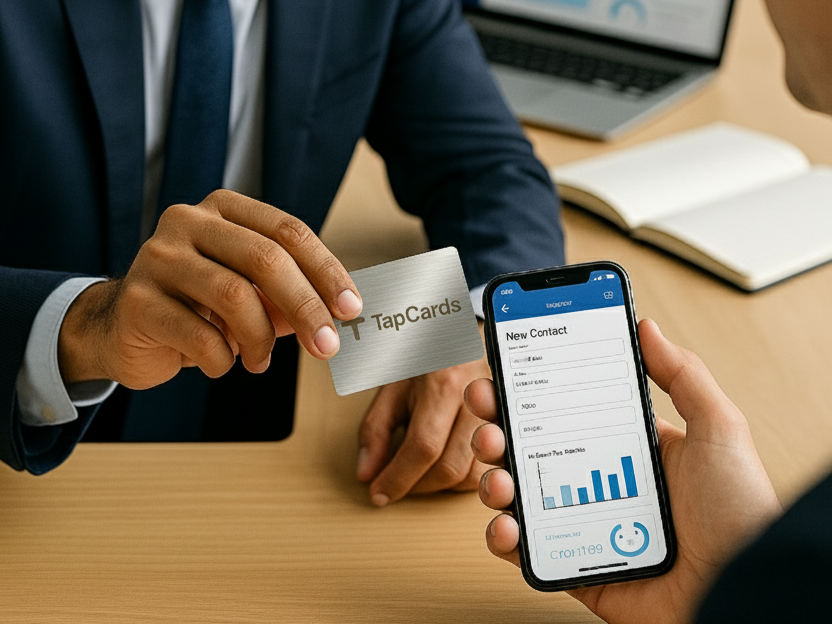
Traditional business cards are so 2000s 😅. Today’s professionals need smart, data-driven tools that capture every connection. With NFC (Near Field Communication) business cards, one simple tap can add a new contact to your CRM, trigger automated emails, and even start a sales funnel — all in seconds ⚡
👉 Imagine this: You meet a prospect, they tap your card, and boom 💥— their details are saved in HubSpot or Zoho CRM automatically, a thank-you email goes out, and your marketing workflow begins.
That’s the power of TapCards.
✨ 1. Instant Contact Capture: No more typing! Save every new contact automatically.
📊 2. Seamless CRM Sync: Works with HubSpot, Zoho, Salesforce, and more.
💬 3. Automated Follow-Ups: Trigger welcome emails, SMS, or even personalized offers instantly.
📈 4. Data & Analytics: Track every tap, conversion, and ROI from networking events.
🌱 5. Eco-Friendly & Smart: No paper waste, just digital precision.
✅ Studies show companies using NFC + CRM integration reduce manual data entry by 75% and boost lead follow-ups by 60%.
Pick an NFC card provider that supports CRM integration or tools like Zapier or API connectors.
TapCards makes this effortless — connect directly to your CRM or export to Google Sheets or Excel for syncing later.
💡 Tip: Check if your platform supports native CRM sync (HubSpot, Zoho, Salesforce, Pipedrive).
Before syncing, define what info you want to capture:
This ensures clean, structured data inside your CRM — no duplicates, no mess 🧼
You can integrate your NFC business card with your CRM via:
🎯 Example:
Tap → Info captured → Auto-sync to CRM → Email triggered = Sales ready lead 🔥
Once a new contact lands in your CRM, set up marketing workflows such as:
💌 Send a personalized thank-you email within minutes.
📲 Create a “Follow-Up” task for your sales team.
🎯 Add the lead to an email drip campaign.
Remember: Speed = Conversions. Following up within 24 hours can boost response rates by 40%!
Use your CRM dashboard to analyze:
Monitor which team members or events bring the most leads. TapCards analytics show tap locations, engagement rates, and even QR scan stats in real time 📈
Ensure your team knows how to use NFC cards effectively:
🎫 Each card should have a unique digital profile.
🌐 Update contact info regularly.
🧭 Train employees on when and how to use their cards (events, meetings, expos).
Your business card is now a digital handshake, not just a piece of paper.
🚫 Using generic NFC cards with no integration support.
🚫 Not tagging or categorizing leads properly in CRM.
🚫 Forgetting to follow up after tap events.
🚫 Letting outdated info live on your card.
✅ Keep your data clean, workflows smart, and brand consistent across every team member’s digital card.
A Bengaluru-based IT firm adopted TapCards for all its business development executives.
📱 At a tech expo:
Each NFC tap captured visitor data → Synced to Zoho CRM → Tagged “Expo-2025-Lead” → Auto-email sent within 10 min → 3-step follow-up started.
📈 Results:
All without a single paper card 🌿
✅ One-tap contact sharing with deep CRM connectivity
✅ Custom branded NFC cards
✅ Analytics dashboard to measure engagement
✅ 100% Made for Indian businesses
✅ Eco-friendly, affordable, and enterprise-ready
When you use TapCards, you’re not just networking — you’re building a measurable, automated, and sustainable lead-generation ecosystem 🌱
🔹 Do all phones support NFC?
Almost all modern Android and iPhones (7 and newer) support NFC tap sharing.
🔹 What if my CRM isn’t supported?
You can still integrate via Zapier, API, or webhook — easy, no code needed.
🔹 Is my data safe?
Absolutely ✅ TapCards uses encrypted workflows and secure servers for data handling.
🔹 Can I use TapCards offline?
Yes! The card stores your profile URL, so even if you’re offline, your contact can view your details.
Integrating your NFC business card with your CRM & marketing stack isn’t just a tech upgrade — it’s a revolution in how you network, follow up, and close deals.
✨ Capture leads faster.
✨ Automate your follow-ups.
✨ Turn every handshake into a measurable opportunity.
With TapCards, India’s most advanced NFC and digital business card platform, your business is ready for the future of smart networking.
👉 Ready to automate your networking?
Visit TapCards.com today to get your smart NFC business card and see how easily it connects with your CRM & marketing stack.
Let’s make every tap count 💥
